
Some days, I receive multiple requests from people who need fast, urgent computer help. Other days are quieter — until suddenly they aren’t.
Earlier today, I received a call from a PC user in New Jersey who was having trouble getting her new mini PC setup to power on. For about 30 minutes, we worked together remotely to figure out why the system wouldn’t boot.
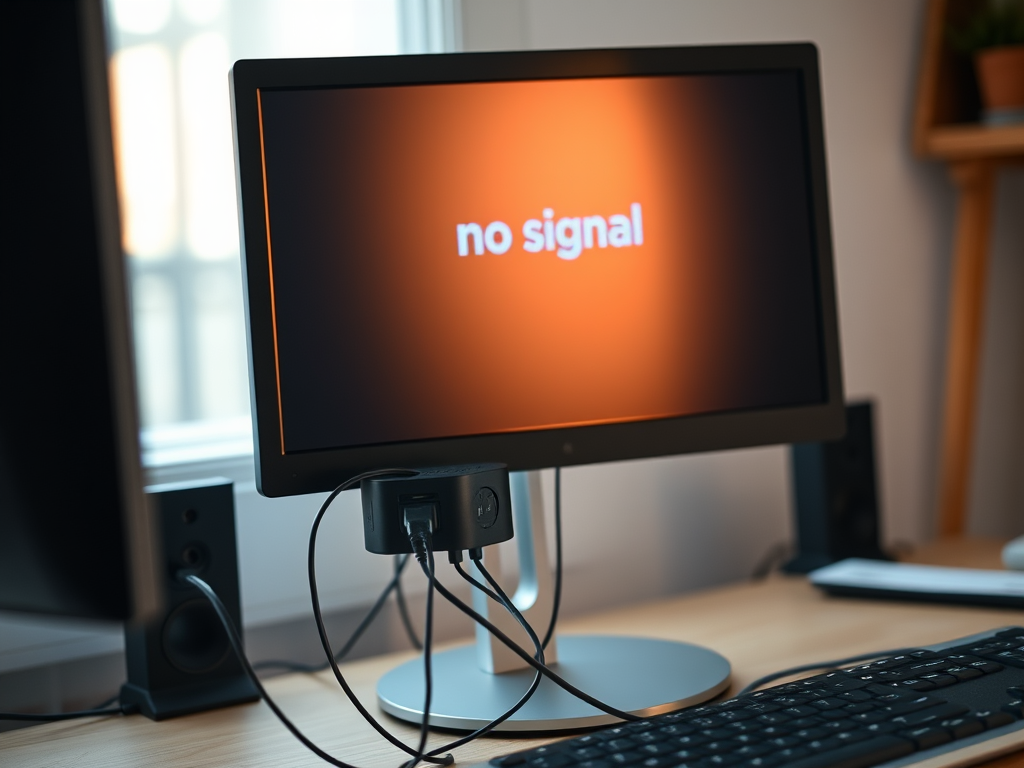
The keyboard lights were on, the speakers had power, but the monitor showed no display.
The challenge
At first glance, it looked like the computer was receiving power — a common assumption when peripherals light up. After asking the client to send a few photos of her setup, it became clear that this was not a traditional desktop or all-in-one system, but a mini PC mounted behind the monitor.
We confirmed that:
- The monitor buttons were not the computer’s power controls
- The actual PC power button was located on the side of the small box mounted behind the screen
Even after pressing the correct power button, the system still didn’t respond.
The real fix
As we reviewed additional photos, the client paused and said:
“Wait — I just checked the box the PC was delivered in, and there’s another power cord here.”
That missing power adapter was the key.
Once it was connected — power strip on one end, mini PC on the other — the computer powered on immediately.
Why this happens so often
Modern PCs, especially compact and energy-efficient systems, can provide standby USB power even when the computer itself is off. That’s why keyboards and speakers can appear “on” while the computer isn’t actually receiving full power.
It’s confusing, incredibly common, and almost always solvable once you know what to look for.
How the client found me
Like many people in this situation, the client searched online for tech support when something suddenly stopped working. She found MarcB IT through a web search and reached out for help.
This is exactly why I invest in being visible when people need assistance most — at the moment something breaks and they need answers quickly.
Wearing multiple hats
Running a solo IT services business means juggling more than just troubleshooting computers. It also means managing marketing, staying compliant with advertising policies, and continuously learning new platforms — all while helping real people solve real problems.
In this case, a simple missing power connection caused a lot of confusion — but it didn’t require an on-site visit, replacement hardware, or unnecessary stress.
Just careful troubleshooting and clear communication.